
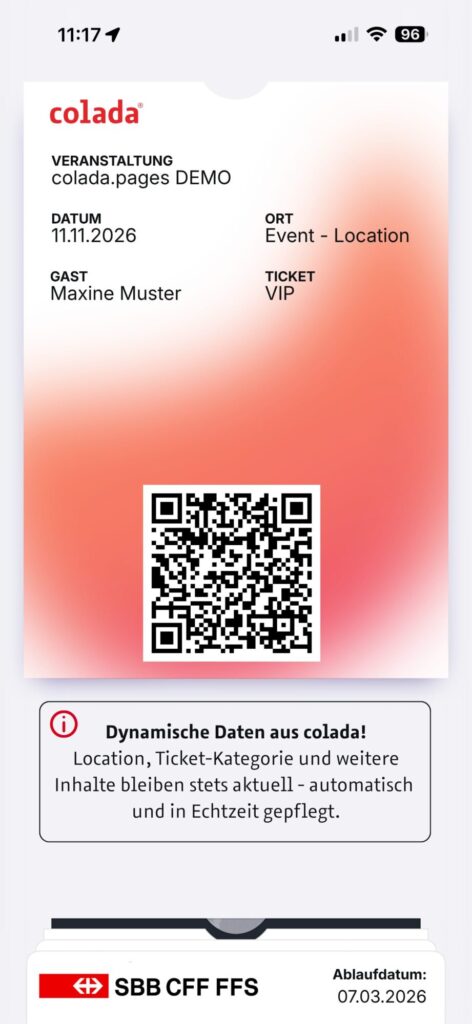
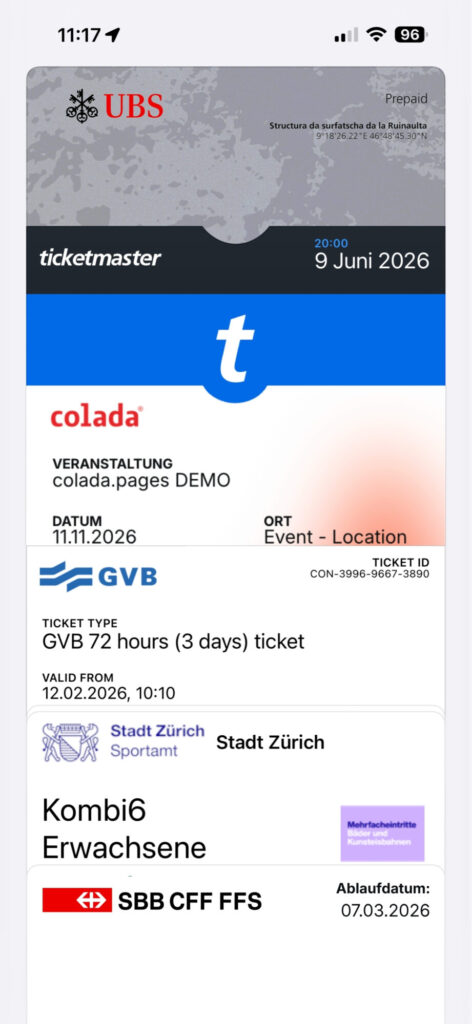
By integrating the Wallet function into the standard Colada workflow, guests can save their ticket directly in the Wallet (Apple/Google) – without downloading an app, without searching for a PDF, without printing.
The ticket automatically appears on the lock screen and enables lightning-fast check-in!
What is a wallet pass?
A wallet pass is a digital document that is stored directly in the smartphone’s wallet app. Apple Wallet (iOS) and Google Wallet (Android) are the two major platforms. Unlike a PDF or e-ticket, a Wallet pass is interactive: it can be updated after delivery, automatically appears in the right place on the lock screen at the right time and contains a one-time redeemable QR code or NFC chip.
For event organizers, this means no paper, no printing, no error-prone screenshots – and significantly faster admission processes.
Important: A Wallet pass is not a simple picture. It is technically signed (Apple certificate) and contains structured data that is evaluated by the Wallet app – e.g. date, location and guest ID for the automatic lock screen trigger.
How does the process work?
- Generate pass: The backend creates an individual pass file (.pkpass for Apple, JSON object for Google) for each guest with the ticket data, a unique QR code and the event branding.
- Signing: The pass is digitally signed with an official Apple or Google certificate. Only signed passes are accepted as trustworthy by the Wallet app.
- Dispatch: The guest receives a link by email or text message. A tap automatically opens the Wallet app with the question of whether the pass should be added.
- Storage: The ticket is stored locally on the device – can also be accessed offline, no internet required at the entrance.
- Check-in: At the event, the ticket automatically appears on the lock screen. The scanner reads the QR code or NFC chip and confirms admission in real time.
Advantages at a glance
Check-in – lightning fast & chaos-free No searching through emails, no opening PDFs. The ticket is immediately to hand.
Communication – real-time updates on room changes, time differences or new information are sent directly to the ticket as push notifications.
Guest experience – Automatically on the lock screen GPS proximity or time trigger the appearance of the ticket – without the guest having to take action.
Sustainability – Completely paperless No printing, no shipping of physical materials.
Branding – Individual design logo, event image, colors, guest name, seat number – every Wallet card is fully customizable.
Data protection – no app required The guest does not need to install a third-party app. The data is stored locally on the device. GDPR-compliant implementation.
Integration in colada
In colada, wallet integration is embedded directly in the ticketing workflow. Once a guest has registered, the wallet pass can be generated automatically and sent by email or SMS. Event organizers can customize the design of the pass in the branding editor – colors, logo, background image and all ticket-relevant fields.
Updates and changes can be sent directly from the guest management area and are automatically sent to all affected guests without any further dispatch. The colada check-in application reads wallet QR codes and confirms admission in real time.
See wallet integration live!
In a free 30-minute demo , we show how the entire process from registration to check-in works with colada.
The official Apple video about Wallet and tickets can be found here: https://youtu.be/zJJ2sWgjLos?si=2LKowDv-aBUgG6Jy