
In the world of event management, every second counts. To ensure that a complex event doesn’t descend into chaos, it takes more than just good planning—it takes precision, a clear overview, and a central tool that keeps everything together.
In colada.scripts, this role is filled by the so-called “Player” —a kind of digital live stopwatch that can do much more than just keep track of time. It serves as the control center for the director or show caller and ensures that everyone involved knows at all times where we are in the production and what’s coming next.
Starting now, the player is available in a completely new version—developed from the ground up, with new display options, public links, its own notification system, and a PWA that feels just like a native app. Time to take a closer look.
From planning to live implementation
A direction plan is created in two phases:
- The preparation, in which content and processes are structured.
- The execution, where this plan is lived in real time – be it in rehearsals or at the actual event.
As soon as it goes “ON AIR,” the player takes over.
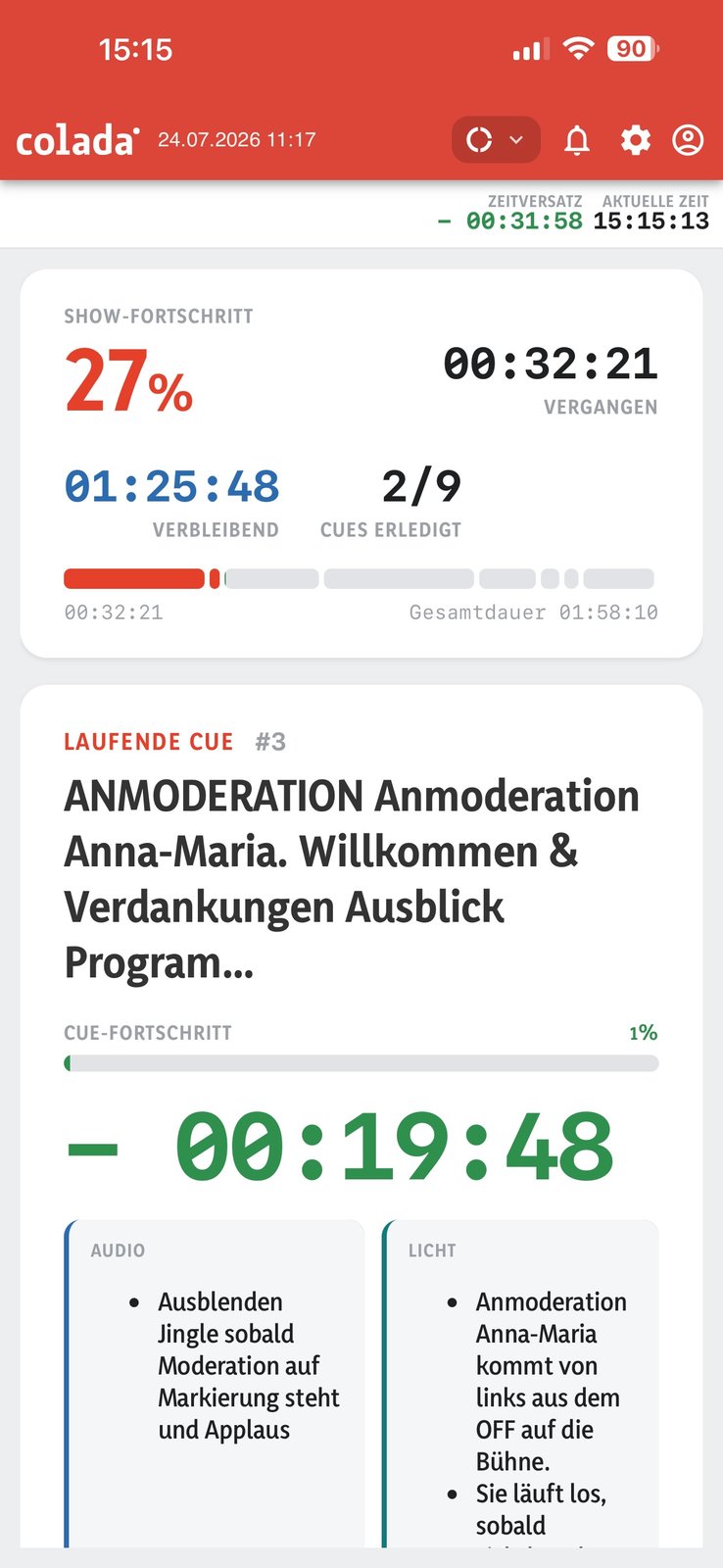
What is the player in colada.scripts?
The player is much more than just a playback tool – it is a live dashboard for the entire event. It is operated by the director or show caller, who controls the so-called “cue list” – i.e. jumps from one program item to the next.
The player provides the following information in real time:
- Timing of the event – How far along is the process?
- Current cue – Which section is currently active and what is happening in it?
- Relevant documents – presentations, scripts, plans: everything that belongs to the cue is directly linked.
- Crew deployments – Who is needed when? The player gives clear deployment signals.
- Cue duration – How much time is left – or how long have we been over?
- Overall situation – Are we on schedule or is there a risk of delays?
This tool allows everyone to keep an overview – in real time, live, reliably.
Central control by the show caller
The director or show caller is the central control instance of the event. Cues are activated manually via the player – i.e. started, skipped or adjusted. This creates a common understanding among all participants: Everyone knows exactly where we are at any given moment.
This live transparency is a game changer, especially for complex productions – whether conferences, stage shows, streaming events or hybrid formats.
The new player: a completely new design
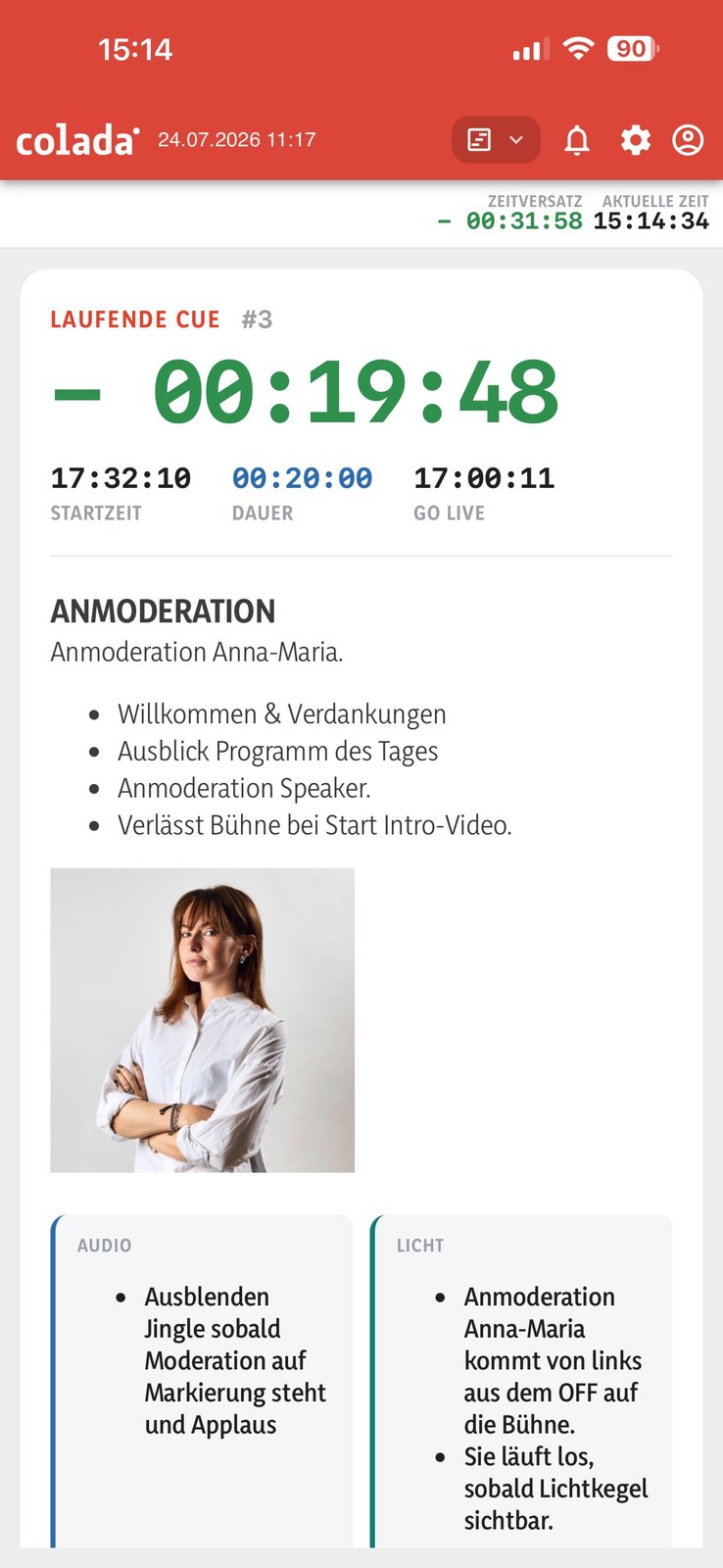
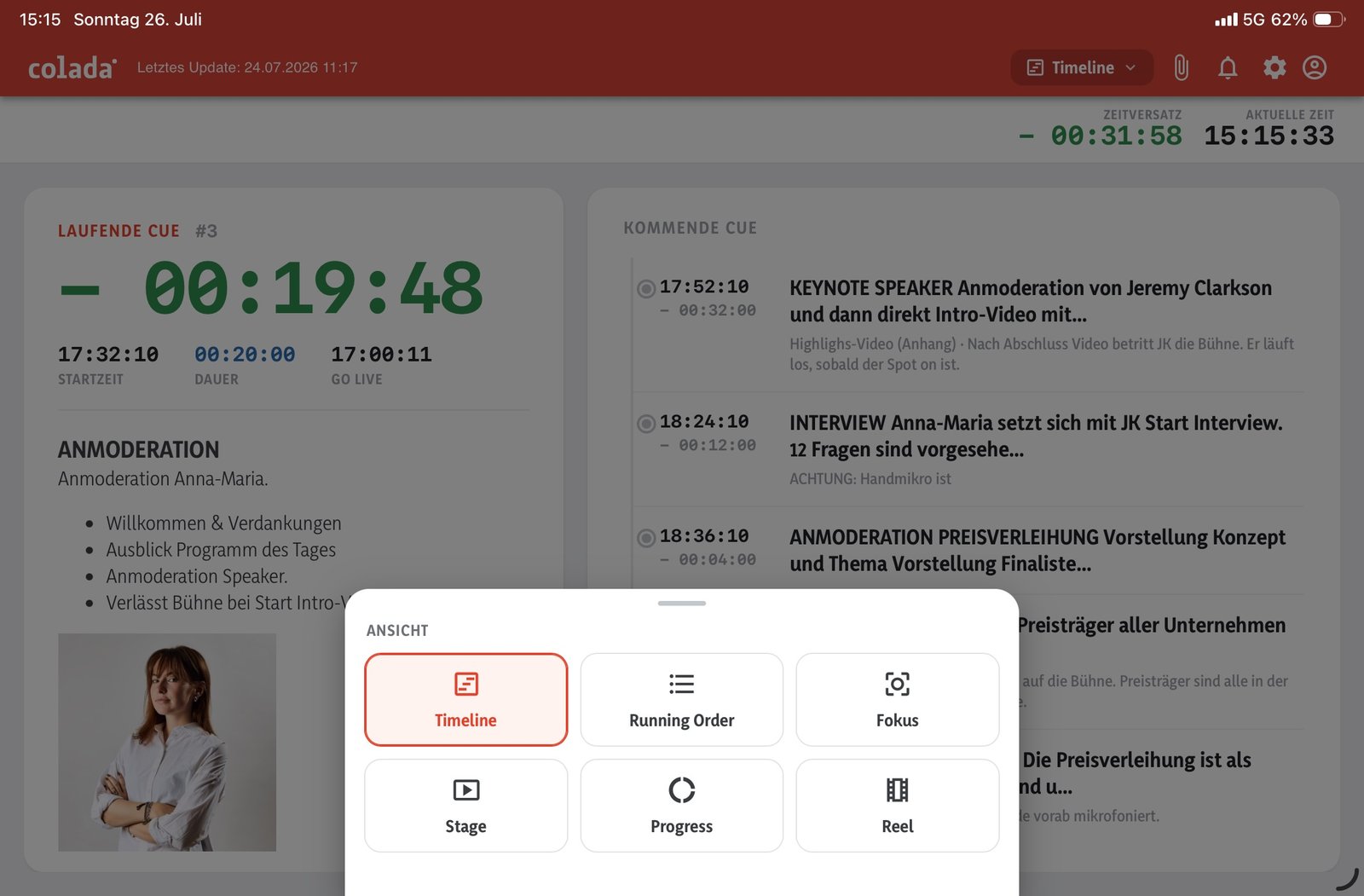
The player you’re familiar with from colada.scripts has been completely rebuilt from the ground up—and now offers significantly more flexibility. Instead of a single, fixed view, the new player offers various display options that users can switch between while the system is running —provided, of course, that the authors of the production plan have granted them the appropriate permissions to do so.
The options include, among others:
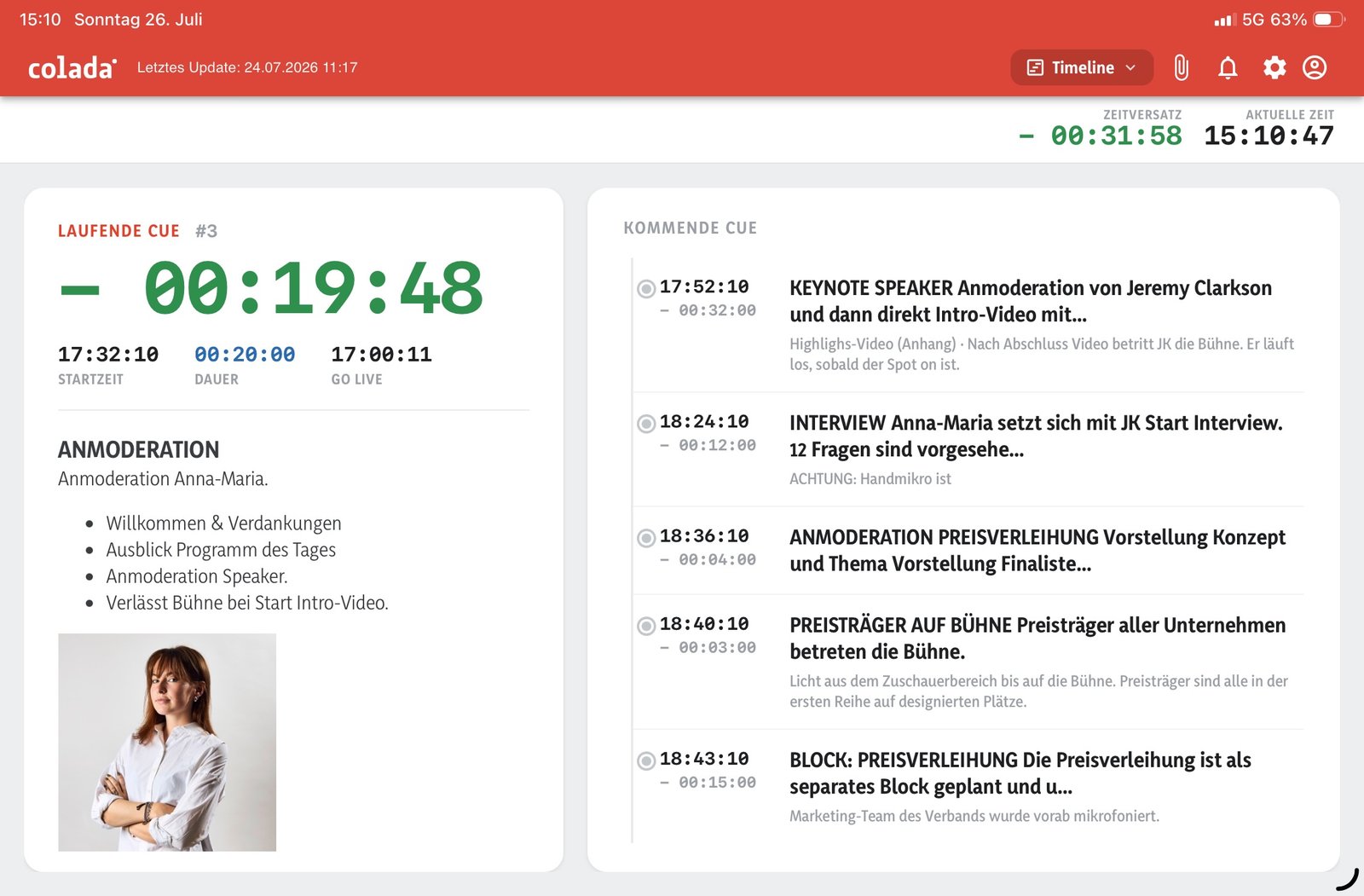
- Timeline – the classic timeline view with current and upcoming cues displayed side by side.
- Running Order – a condensed list of all program items.
- Focus – stripped down to the essentials.
- Stage – large numbers, large letters, ideal for the stage.
- Progress – an overview of the show’s overall progress.
- Reel – for anyone who prefers a sequential, cue-by-cue view.
These presentation options form the basic framework for every production plan. And as always at colada: We’re open to alternative, creative presentation options—let us know if your production needs something special.
If you’d like, you can also customize your view: In the settings, you can turn off anything that isn’t relevant to your role. This way, the catering team sees only what’s important for catering, while the technical team receives its own, streamlined set of information—everyone sees exactly what they need for their job, no more and no less.
Public Links: Easily Include All Groups of People
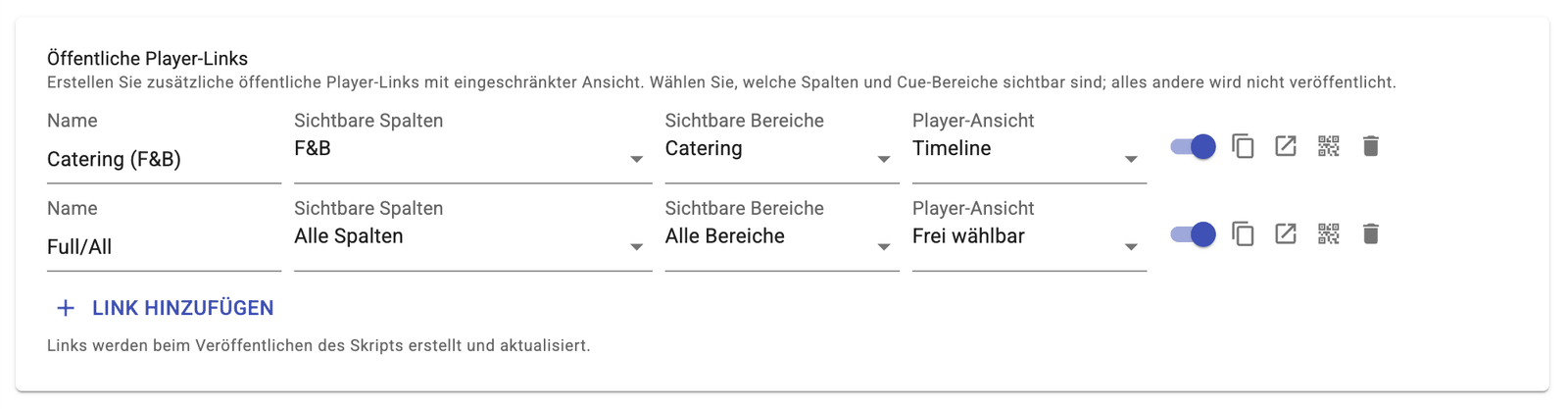
One of the biggest new features: Starting now, you can create and share public links that allow different groups of people to be integrated into the process without any extra effort.
Try out the player for yourself here! ( Link to demo event)
For each group—whether Catering, F&B, Technical, or a completely custom combination—you can specify exactly which columns and cue ranges should be visible and in which player view (e.g., Timeline or custom) the link opens. Everything else simply remains unpublished. For example, the catering team receives its own link with exactly the information it needs—no login required, no access control, and no follow-up questions. SUPER EASY! One link per group, no login required, no questions asked.
Announcements: Communicating Effectively While the Show Is Underway
During live operations, every second counts—and that’s exactly why there’s now a completely new announcement system. It allows the director and his team to promptly and precisely deliver instructions, information, and warnings to the specific groups of people they concern.
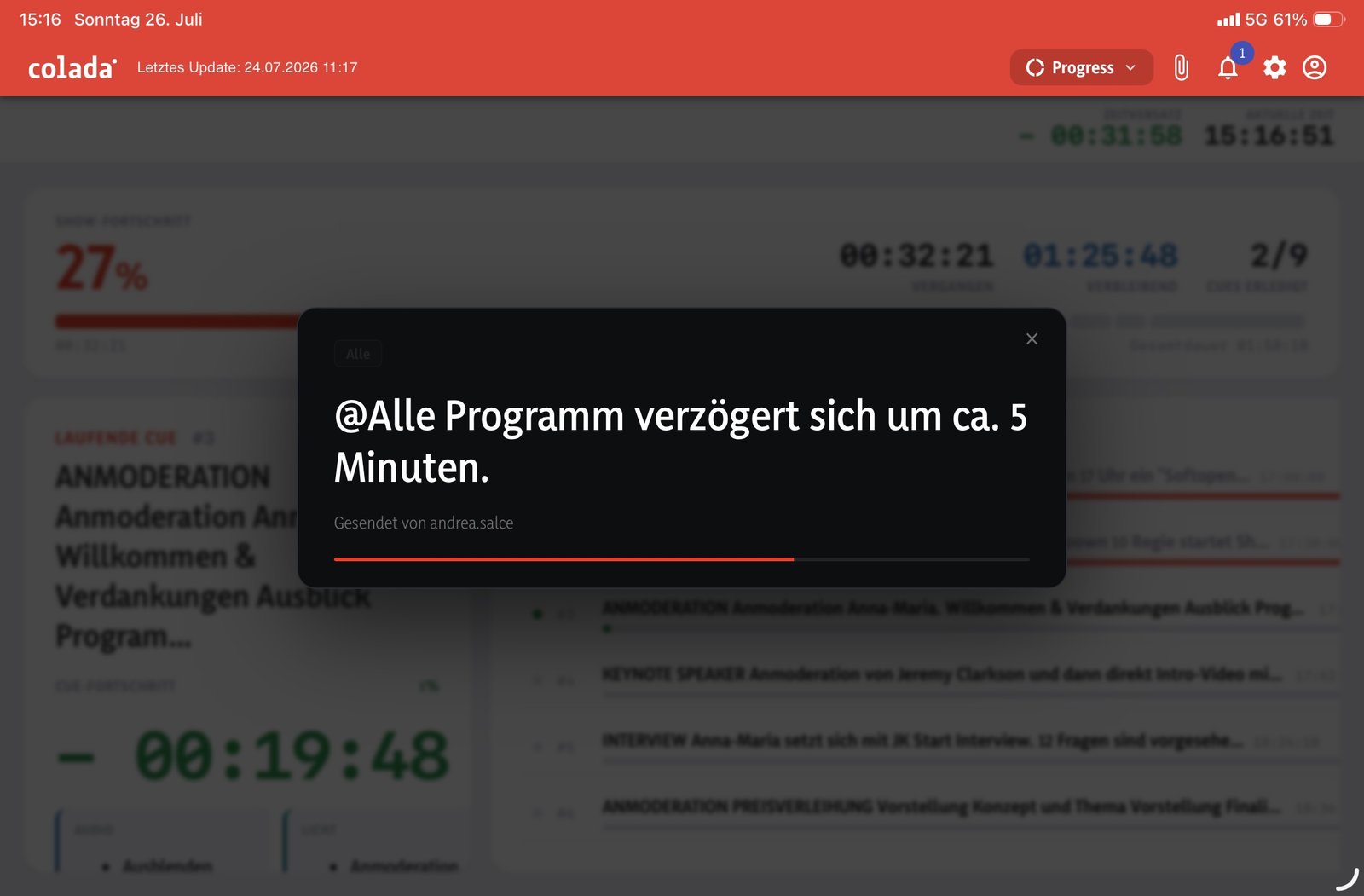
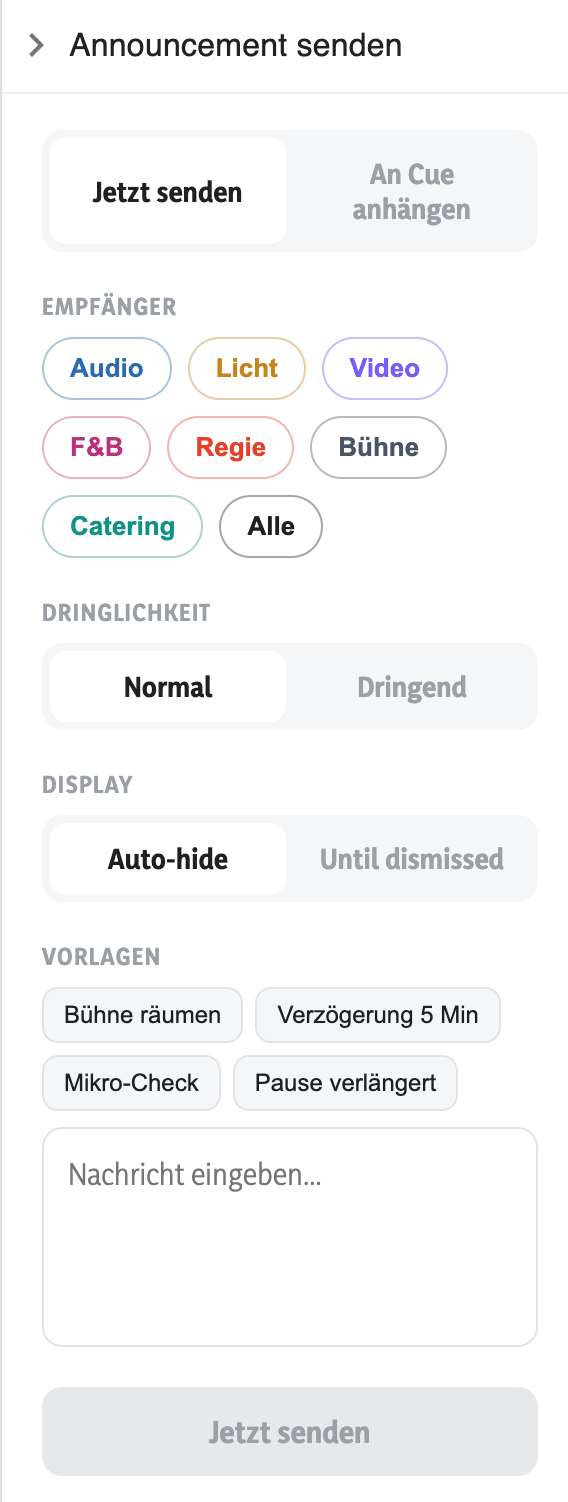
An announcement can be sent immediately or attached to a specific cue, addressed to individual departments—audio, lighting, video, F&B, production, stage, catering—or to all of them at once. In addition, there are urgency levels and the option to choose whether the message disappears automatically or must be actively acknowledged. For the most common scenarios, there are pre-made templates such as “Clear the stage,” “5-minute delay,” “Microphone check,” or “Intermission extended”—so an announcement can be sent out in seconds.
IMPORTANT: Announcements can be triggered directly through the new Stream Deck integration. Just one press of a button is all it takes for the right information to reach the right crew—without having to go through a tablet or laptop. This makes it SUPER POWERFUL, especially during hectic moments when every second counts.
Mobile, flexible and ready for use anywhere
A huge advantage: the player works on any device – laptop, tablet or smartphone. This is particularly useful for:
- Production management on the road
- Technical teams in the control room
- Caterer
- Stagehands backstage
- or the back office remotely
This mobility is a real advantage, especially in hectic production environments.
New: The Player as a PWA
This is very important and one of the biggest advancements in this new development: The player can now also be installed as a Progressive Web App (PWA) on an iPad or mobile device. This offers several advantages:
- Direct app access —the player appears as its own icon on the home screen, without having to go through the browser.
- Better performance —the app loads faster and responds more smoothly than a browser-only view.
- True full-screen mode —no address bar, no distractions, just the action.
For production and technical teams that rely on the player around the clock, this makes a noticeable difference in their day-to-day work.
Conclusion: The new player is a milestone
With this new development, the player in colada.scripts evolves from a simple timer to a true communication and control hub for every production. Flexible display options, public links for all user groups, an announcement system integrated with Stream Deck, and the ability to install it as a PWA make it faster, clearer, and easier to use than ever before.